
GrabNConvert
Version 1.0.11 · macOS and Windows

Grab. Convert. Done.

Convert, shrink and save any file on your own computer. One app, one queue, nothing uploaded.

Free for 7 days Nothing leaves your computer Mac and Windows

Twenty tools. One app.

Drop a file and it offers the ones that fit.

Three steps. That's all.

1

Drop a file or paste a link

Drag it onto the window, or press ⌘V.

2

Pick what you want

A format, a size, a quality. "Fits WhatsApp" works too.

3

It's done

Watch it in the queue. One click opens the folder.

Convert and compress

Any format. Any size.

Pick a format, or say "fits WhatsApp" and it works out the rest. Your original stays as it is.

Fast

Uses your computer's video chip, several times quicker.

Trim on the way

Keep only the part you need.
More about converting
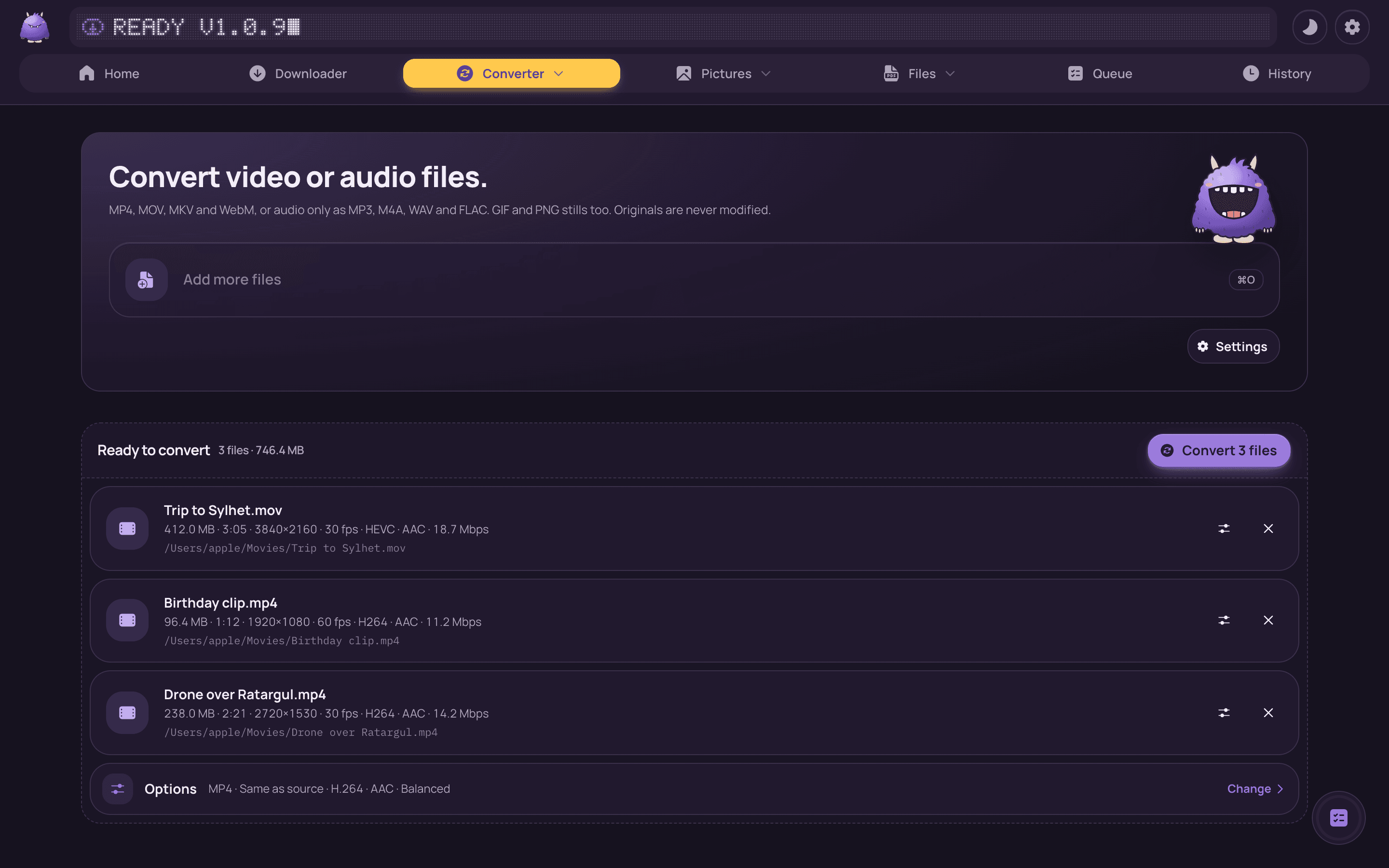
Converter: three videos dropped in, each with its size, length, resolution and codecs, and one Options row for all of them.
Whole folders

A whole folder in one go.

Drop a folder or a ZIP. Choose what the pictures, videos and songs inside should become, and start once.

See it before it starts

Every file counted, with sizes.

Only the new ones next time

Files done before are skipped.
More about folders
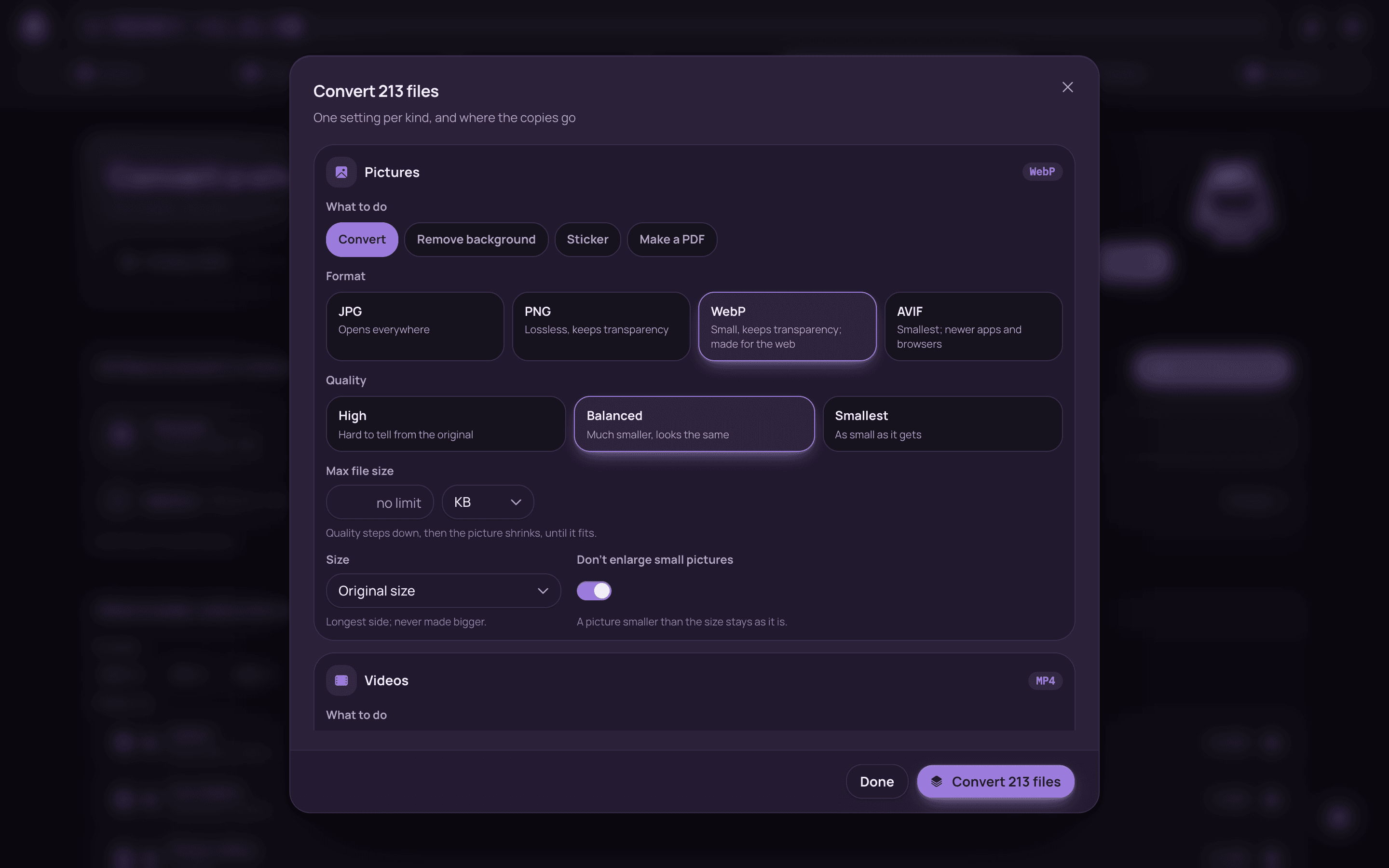
Folder convert: a holiday folder scanned (213 pictures, videos and songs in four folders) and the dialog open with one setting per kind.
Send to phone

Scan once. Files go both ways.

Your phone scans one QR code on the same Wi-Fi. Send files to it, or photos from it. No app on the phone.

Stays on your Wi-Fi

Nothing goes through the internet.
More about the phone
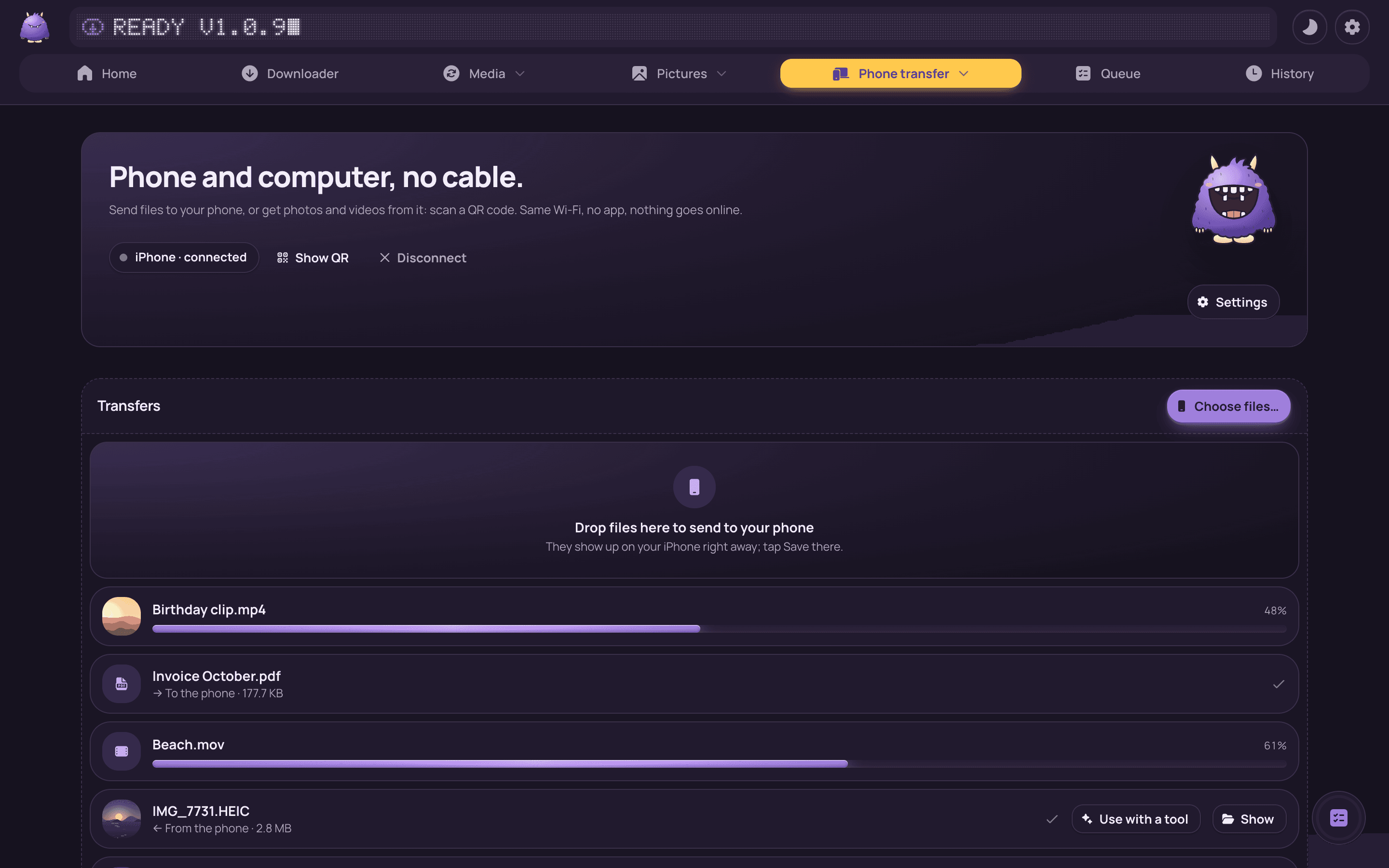
Phone transfer: an iPhone connected, a drop zone to send files, and transfers both ways with progress bars.

Little things that save time.

See every feature

Your files stay with you.

  • No uploads. Everything happens on your computer.
  • Originals untouched. Every job writes a new file.
  • Your folders. Files go where you choose.

Questions people ask.

All questions
Is anything uploaded?
No. Your files are read and written on your own computer. The account only keeps your email and which computers you use.
How much does it cost?
The first 7 days are free, with everything on. After that it's $4.99 once, for 2 computers, with every update. No subscription.
Mac says the app can't be opened. What now?
The app isn't signed by Apple yet, so macOS asks once. Here is how to open it, it takes a minute.

Free for 7 days. Then $4.99, once.

One download. Nothing else to set up.

macOS 12 or later · Windows 10 and 11